> ## Documentation Index
> Fetch the complete documentation index at: https://2026commitplusinc.mintlify.site/llms.txt
> Use this file to discover all available pages before exploring further.
# Resolve Conflict Tool
> Visual diff viewer with inline conflict markers and stage resolution.
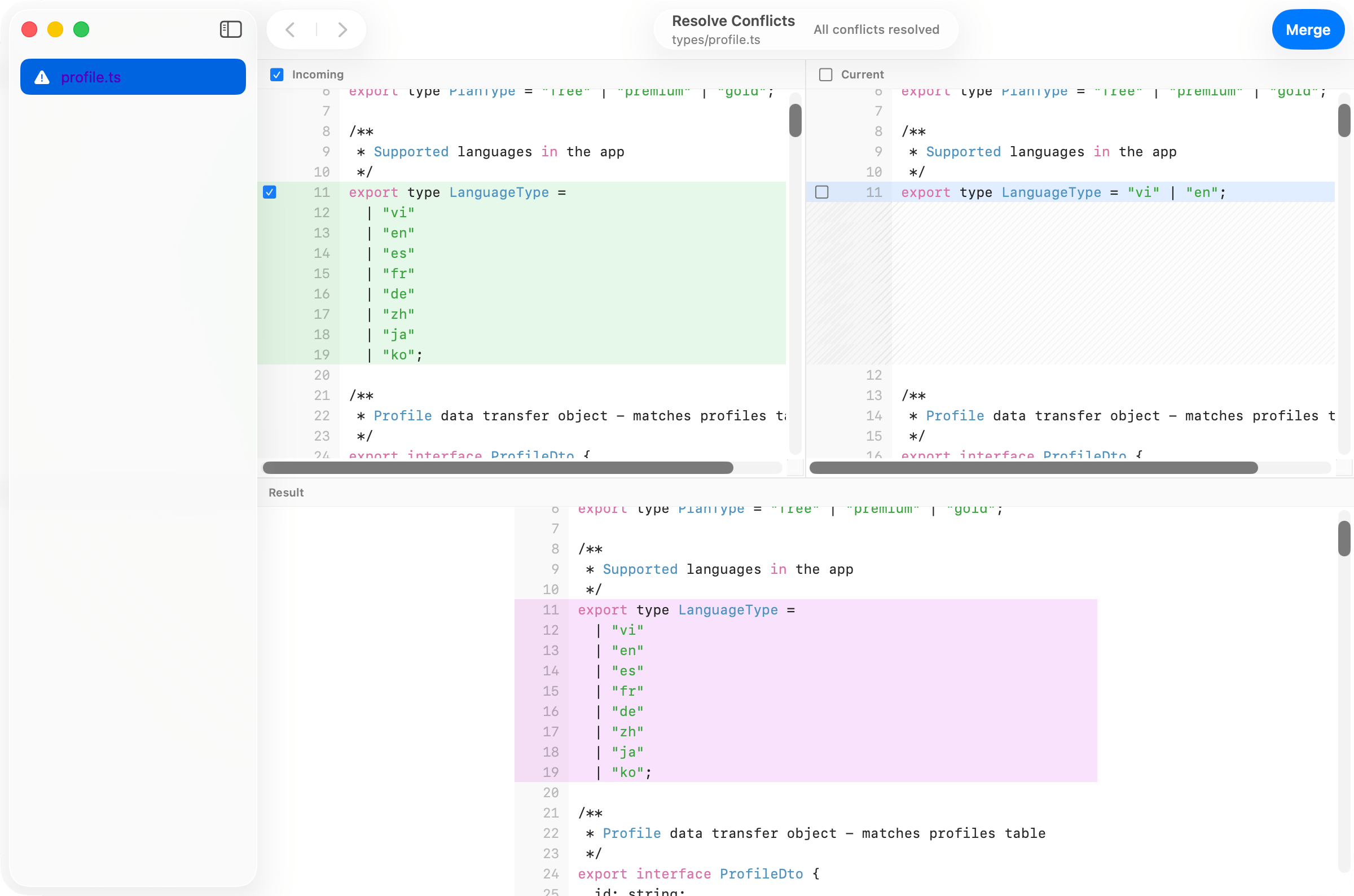 When merges, rebases, cherry-picks, or reverts produce conflicts, Commit+ opens a visual tool so you can resolve them without leaving the app. The goal is to keep the structure of the conflict visible, make the available choices obvious, and help you move from inspection to resolution without jumping out to another editor.
## Workflow demo
## What it does
* Inline rendering of conflict markers (`<<<<<<<`, `=======`, `>>>>>>>`).
* **Accept ours / theirs / both** controls per hunk.
* Stage individual hunks as you resolve them.
* Navigate unresolved conflicts.
* **Abort** the merge, rebase, cherry-pick, or revert to return to your prior state.
Supported aborts and resolved history actions can be undoable with `Cmd+Z`.
When merges, rebases, cherry-picks, or reverts produce conflicts, Commit+ opens a visual tool so you can resolve them without leaving the app. The goal is to keep the structure of the conflict visible, make the available choices obvious, and help you move from inspection to resolution without jumping out to another editor.
## Workflow demo
## What it does
* Inline rendering of conflict markers (`<<<<<<<`, `=======`, `>>>>>>>`).
* **Accept ours / theirs / both** controls per hunk.
* Stage individual hunks as you resolve them.
* Navigate unresolved conflicts.
* **Abort** the merge, rebase, cherry-pick, or revert to return to your prior state.
Supported aborts and resolved history actions can be undoable with `Cmd+Z`.